
Smart home without renovating
— where do you start?
For our first blog post, we want to tackle our favourite myth: that adding smart home technology means renovating, running new cables and spending a week living in dust.
See it in action
in the renovation plans.
In many cases, all it takes is the wiring you already have and a few clever devices. You don’t have to upgrade everything at once, either — you can start with a single switch that makes your evenings a little nicer. Literally.
Hi, we’re TRAJKOT
There are two of us — Ewa and Marcin — and we have a bit of a soft spot for technology. The kind that has us talking for quite a while about switches, sockets and why one button feels nicer to press than another. We know. A little suspicious.
We turned that soft spot into a business: smart home systems and electrical fittings, including Vimar. This blog is where we show you things we genuinely think are worth having at home, explain how they work and share ideas for making everyday life easier. We’ll get to the point and try not to bore you, but you’ll hear plenty from us — TRAJKOT is a nod to chattering away in Polish, after all.
What are we chatting about? Contents
- What’s the point of a smart home, anyway?
- You don’t have to do it all at once
- How does a smart home work without chasing cables into walls?
- What can you change in a home that’s already finished?
- And what will it look like on the wall?
- Right, so how much does a smart home cost?
- Come and have a click around
What’s the point of a smart home, anyway?
Some needs only occur to you once they’ve been met. Let’s be honest: electricity is a relatively recent addition to human history, and people get along perfectly well without a smart home. Our comparison of choice would be a thirty-year-old car. It’ll get you from A to B just fine, but you’ll probably appreciate a newer model pretty quickly when you switch on the heated seats and steering wheel in winter. For us, smart home technology is those heated seats and that steering wheel.
Bringing that back home: you get into bed in the evening, read a book or have a look at your phone. Just as you’re drifting into the arms of Morpheus, you remember the main light is still on. And the switch? By the door, of course. There was so much to think about when you were finishing the place that nobody thought to put one by the bed.
In the morning, you’ll do another lap of the house before leaving, turning off lights, lowering blinds and turning down the heating. Or you won’t, because you’re already late, and you’ll remember it all when you get home. Sound familiar?
That’s the sort of little thing we mean. Not a home that orders its own milk (although, at the rate technology is moving, we’ll probably be offering that within the next five years), just a place that’s a little more pleasant to live in.
You don’t have to do it all at once
Our second favourite myth is that you have to plan a smart home for the whole place at once. That’s a perfectly nice way to do it, but what we like most at TRAJKOT is that you don’t have to. Whether you’d rather spread the cost or haven’t quite worked out everything you want your home to do yet, we give you that choice. Today, you can start with that bedside switch. Tomorrow, you can think about making all your heating easier to control.
You don’t need specialist knowledge of the devices that make up the system, either. To start with, it’s enough to know what annoys you and what you’d like to make easier — we’ll fill in the rest. And the advice will be tailored to your system.
How does a smart home work without chasing cables into walls?
The whole idea is to make the most of the wiring that’s already there. Usually, we add a suitable module behind a switch or socket, and the devices communicate wirelessly. That’s it.
The main system we work with is Vimar View Wireless, which uses a local Bluetooth Mesh network. The important word here is ‘local’: the devices communicate with each other without needing an internet connection. If the internet goes down, you won’t be able to switch the light off through the app, but the rest of the installation will carry on working just fine.
Of course, the module needs to be connected to the wiring properly. But that calls for an electrician, not a full renovation crew. You don’t have to put up with those little annoyances until your next renovation.
What can you change in a home that’s already finished?
An extra switch by the bed
Back to Morpheus. Some switches don’t need wires — or even batteries. Press the button and the movement itself generates enough energy to send a signal. Stick one next to your bed and there you go: no need to have thought of it during the renovation.
The switch is paired with a receiver that actually controls the light. To see what that looks like in practice, take a look at our complete wireless two-light control kit.
Press. Lights out.
Back to the land of nod.
 trajkot_com
Lights out.
Time to sleep.
Blinds without a walk around the house
Got electric blinds? You can control them from one place, from your phone, or group them into a scene. Open several at once in the morning, for example, then lower them all with one switch before going out. It sounds like a small thing, but you’ll get used to the convenience before you know it.
Heating that fits your day
The idea is simple: make your home fit your routine. This is one of our personal favourites. We have electric underfloor heating in our bathroom, which we never used to turn on in time. Now the system knows that, in autumn and winter, the bathroom floor needs to be warm at 6 am from Monday to Friday — and not until 8 am at weekends.
And yes, we’ve remembered to turn down the heating while already on the way to the airport. Luckily for our heating bills, the internet was working that day, so we remotely activated the ‘Away’ scene, which turned the radiators down to the minimum needed.
One button, and you’re out the door
Our similar ‘Leaving’ scene does more than control the heating, and we can activate it from a switch by the front door. You decide what your scene does, but picture this: the lights go off, the blinds come down, the heating switches to your chosen setting and the alarm arms itself. One click makes your home more energy-efficient and secure. Because, let’s be honest, most of us consider it an achievement just to switch off all the lights before leaving.
You’ll find more examples on our interactive board in Discover smart home.
And what will it look like on the wall?
We won’t pretend we’re interior designers. Left to ourselves, our sense of style is pretty hopeless, but even we can tell the difference between “it’s there, it works, job done” and something that’s simply nice to look at. Luckily, Vimar is responsible for the look of the switches and sockets we sell — not us. And according to Vimar, switches and sockets are jewellery for your interior.
And the choice doesn’t stop at “white or black”. There are colours, materials, textures and frame shapes to choose from, as well as the feel of the button under your finger. Sadly, we can’t show you that last bit through a screen, but it’s exactly the sort of detail we can get caught up in for a while. After all, this is something you’ll touch every day, not just admire in a photo once the renovation is finished.
At TRAJKOT, you’ll find Vimar Plana, Linea and Eikon, among other ranges. Each looks a little different and offers different finishing options. You don’t need to know how they differ just yet — you can compare them below. Just a heads-up: choosing frames can take a surprising amount of time.
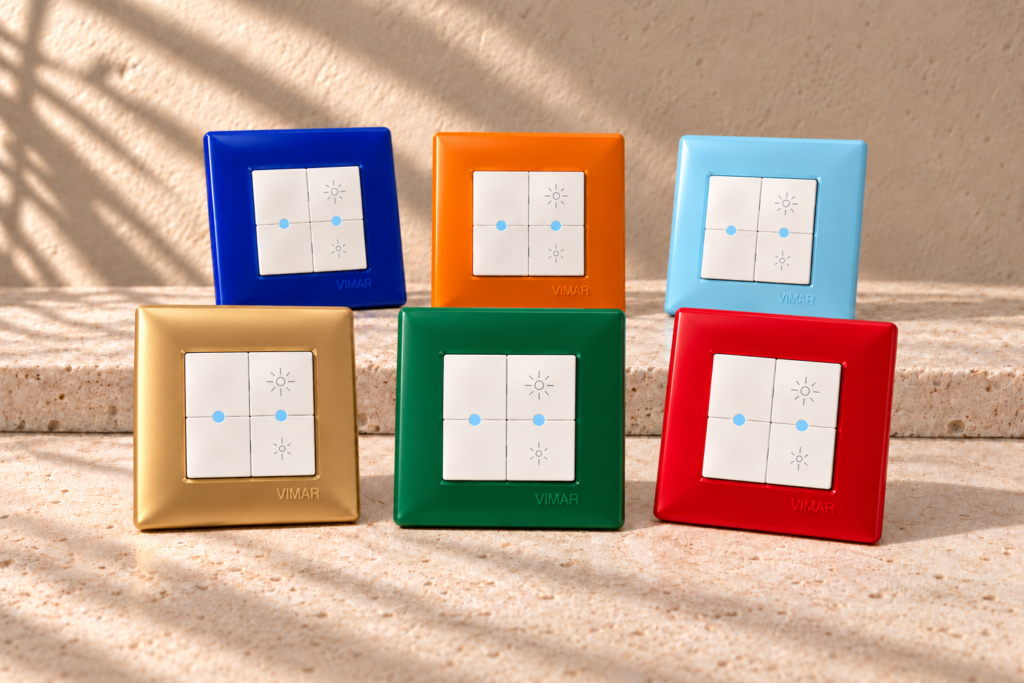
Vimar Plana
Simple form. Plenty of possibilities.
A simple shape with gentle lines and a broad choice of cover plate colours. Traditional rocker controls sit alongside smart options.
- Gentle lines
- A range of plate finishes
- Traditional or smart
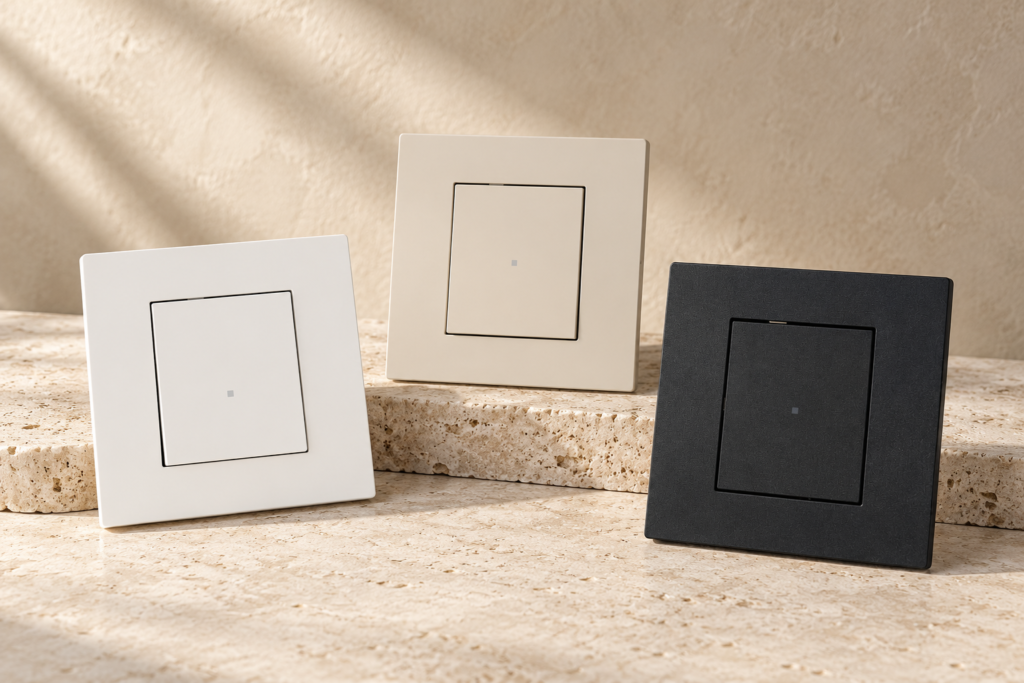
Vimar Linea
Slim profile. A precise touch.
A slim cover plate and a generous button surface create a clean, balanced look. In-line controls return to their original position after each press.
- Slim profile
- Generous button surface
- In-line technology
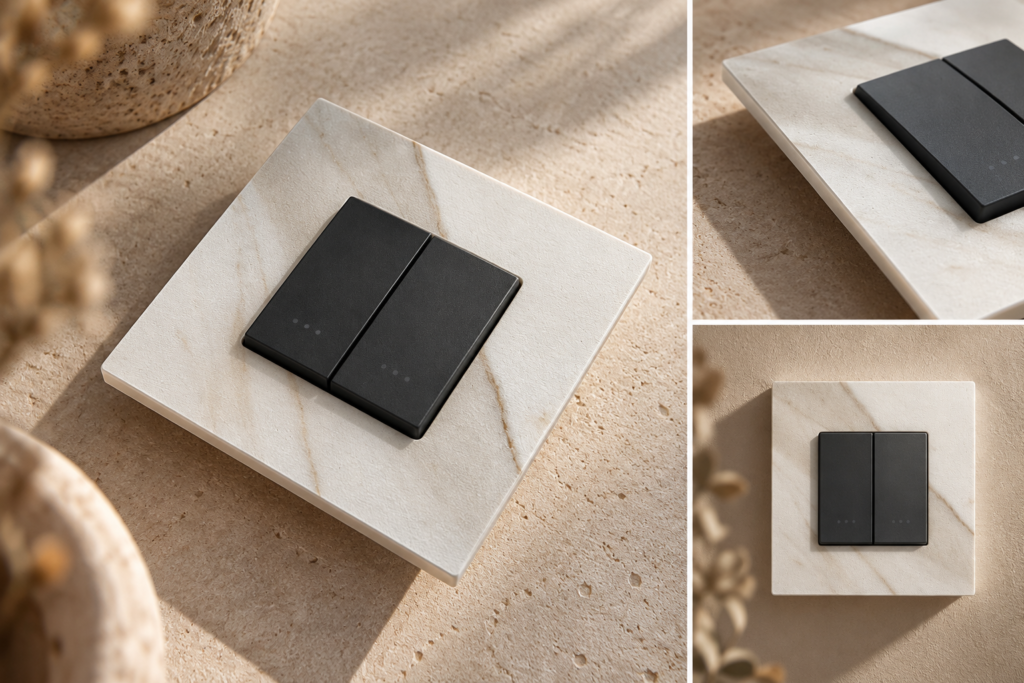
Vimar Eikon
Materials take centre stage.
Two design identities: slim Eikon Evo and geometric Eikon Exé. Glass, metal and other decorative finishes give the cover plates a distinctive character.
- Two identities: Evo and Exé
- Glass, metal and textures
- Traditional or smart
Right, so how much does a smart home cost?
It depends. We know — the worst answer in the world. But an extra light switch and a system controlling your whole home are two very different purchases. There isn’t one honest price for ‘a smart home’.
Our basic kits for adding new functions to your home start at around PLN 1,500. You can plan a larger setup from the start, too — the price will depend on the functions and devices you choose. Rather than plucking a number out of thin air, we’d rather show you what the things you actually want will cost.
Come and have a click around
Already have a plan for the whole place? Great. Only know that you’d like to turn off the light without getting out from under the duvet? Also great. You have to start somewhere.
On the TRAJKOT website, you’ll find our own smart home configurator, which tells you what you can and can’t include. Go through your rooms, choose the functions you’re interested in and check the summary. You’ll get a quote without leaving an email address or phone number.
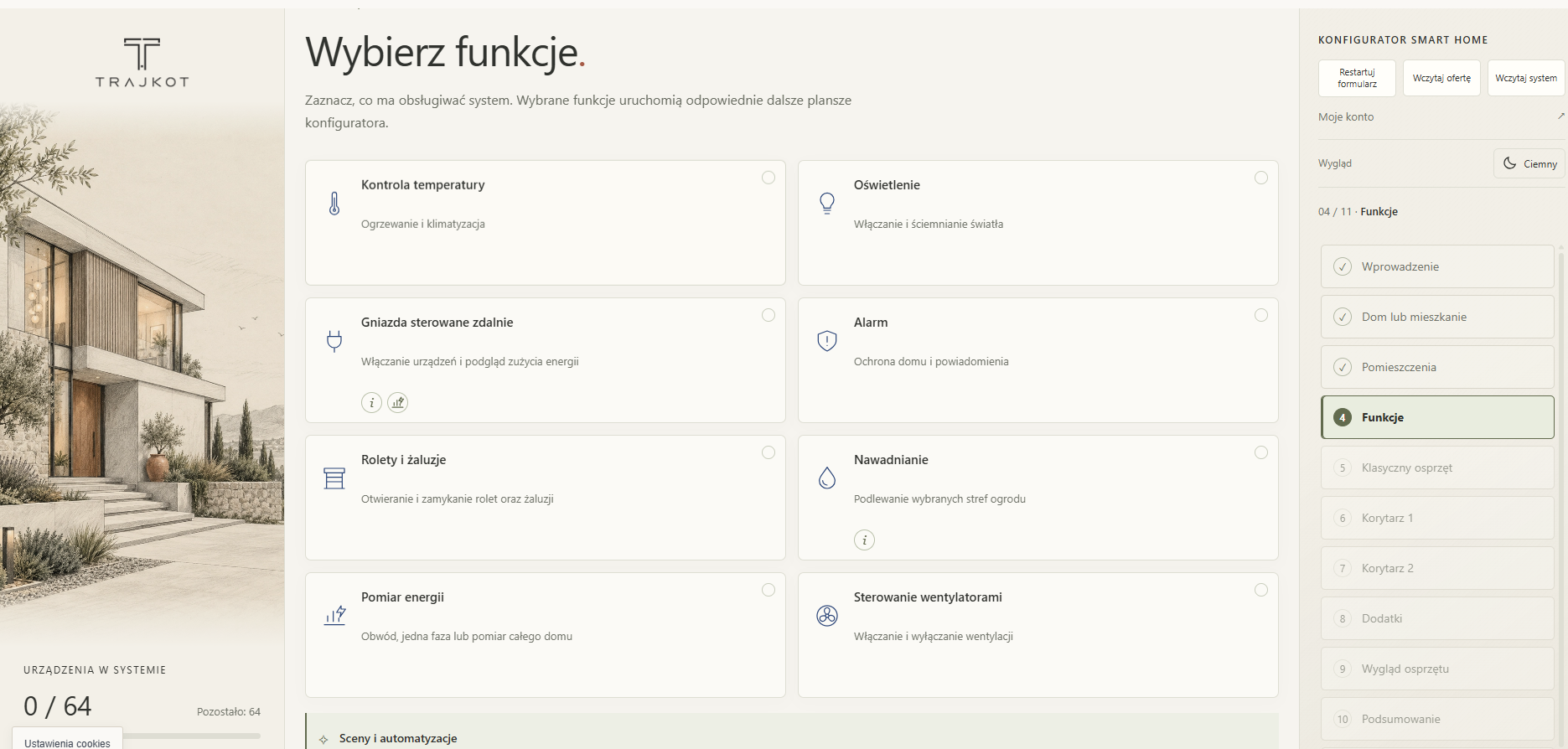 Enlarge preview ⤢
Now it’s your turn.
Open the configuratorAnd if you still have questions or need help with something technical — get in touch. There are no silly questions — and we really do know what we’re doing.
Sign in to join the discussion.
Sign in